Fire TV Stick 4K vs. Roku Streaming Stick 4K: Which is Best for UK Viewers? (2026 Review)
If you want to upgrade your TV without spending hundreds on a new screen, you are probably staring at two main choices: the Amazon Fire TV Stick 4K and the Roku Streaming Stick 4K.
On paper, they look identical. Both cost around £50 (often less on sale), both plug into the back of your telly, and both promise "Ultra HD" streaming.
But after testing both devices extensively in a typical British living room—battling with slow broadband and demanding family members—I can tell you they are very different beasts.
One is a powerhouse built for speed. The other is a champion of simplicity.
Here is my honest breakdown of which one you should actually buy.
⚡ The Quick Verdict: Which One Should You Buy?
If you are in a rush, here is the bottom line.
Buy the Roku Streaming Stick 4K if...
- You value simplicity. You just want a menu that shows your apps (Netflix, iPlayer, Disney+) without bombarding you with ads and "Recommendations."
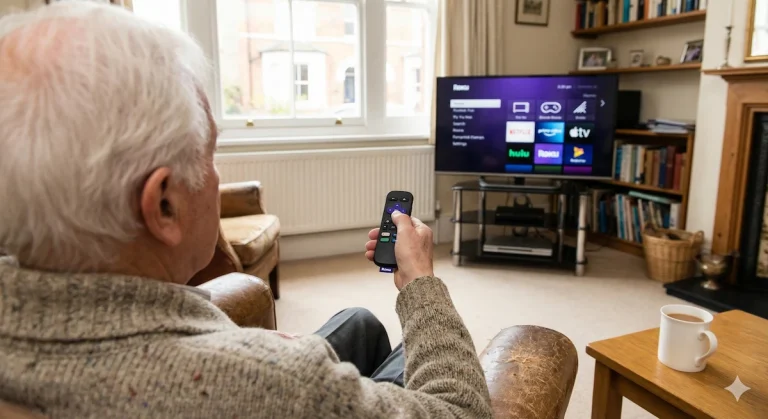
- You are buying for a non-techie. This is the "Granny Proof" option. It is almost impossible to get lost in the menu.
- You use Apple devices. It has AirPlay 2 built-in, so you can beam photos and videos from your iPhone to the TV instantly.
👉 Check the latest Roku Price on Amazon
Buy the Amazon Fire TV Stick 4K if...
- You are an Amazon Prime Member. It integrates your Prime movies and delivery notifications seamlessly.
- You want speed. The processor inside feels snappier, especially when loading heavy apps like Disney+.
- You love smart home tech. The Alexa voice remote is genuinely useful for dimming lights or checking the Ring doorbell without leaving the sofa.
👉 Check the latest Fire TV Price on Amazon
1. The Interface: "Billboard" vs. "App Grid"
This is the biggest difference between the two devices.
The Fire TV Stick is designed by Amazon to sell you Amazon content. When you turn it on, the home screen is busy. It is full of auto-playing trailers for new Prime shows, "Sponsored" rows, and recommendations.
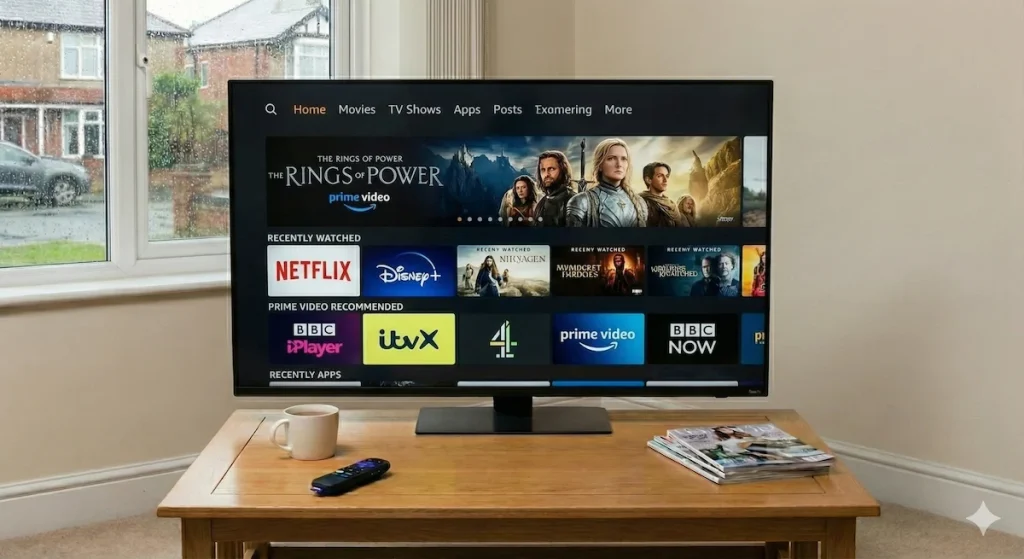
- The Good: It looks modern and slick, like a cinema interface.
- The Bad: It can be confusing. Finding the "Settings" menu or a specific app sometimes feels like a treasure hunt.
The Roku is the opposite. It is boring—in a good way. The home screen is a simple, purple grid of your apps. That’s it. You move the cursor to "BBC iPlayer," you click it, and it opens.
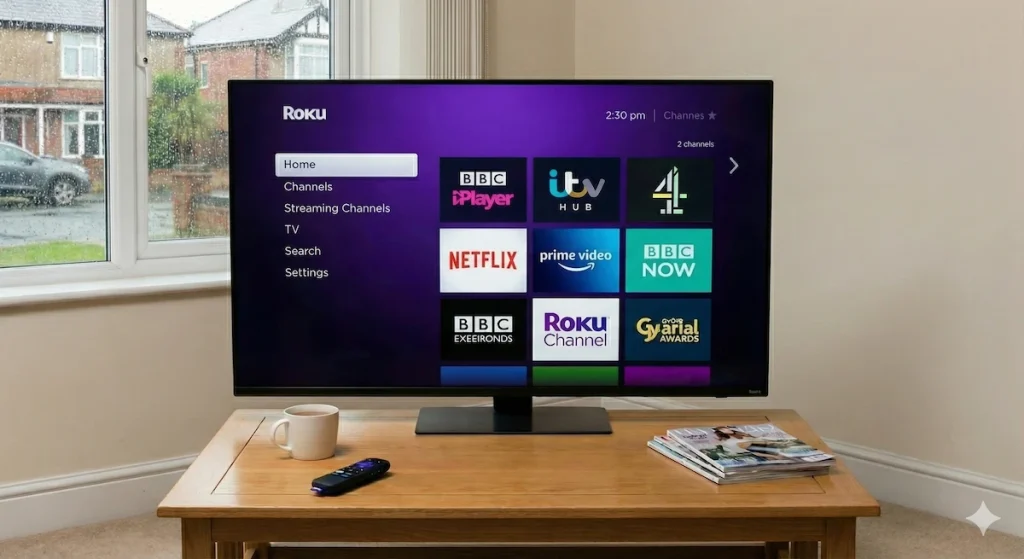
- The Good: It treats all services equally. It doesn't care if you watch Netflix or ITVX; it just lets you get there fast.
- The Bad: The design looks a bit dated, reminiscent of 2015.
Winner for Simplicity: 🏆 Roku
2. UK App Support: The "Catch-Up" Test
Since we are in the UK, it doesn't matter how powerful a stick is if it can't play Eastenders or Match of the Day.
I have tested both devices with the "Big 5" UK broadcasters:
- BBC iPlayer: Works perfectly on both.
- ITVX: Works perfectly on both (Live TV & Catch Up).
- Channel 4: Works perfectly on both.
- My5: Works perfectly on both.
- NOW (Sky): Available on both.
Crucial Note: Both devices now support the "Live TV" guide features.
- On Fire TV, there is a "Live" tab that pulls together channels from ITVX, My5, and Pluto TV into a traditional TV guide grid.
- On Roku, there is a "Live TV" menu, but it mostly focuses on their own free (ad-supported) channels rather than the main UK broadcasters.
Winner for UK Apps: 🤝 Draw (Both are excellent).
3. The Remotes: A Battle of Buttons
You are going to be holding this piece of plastic every day, so it matters.
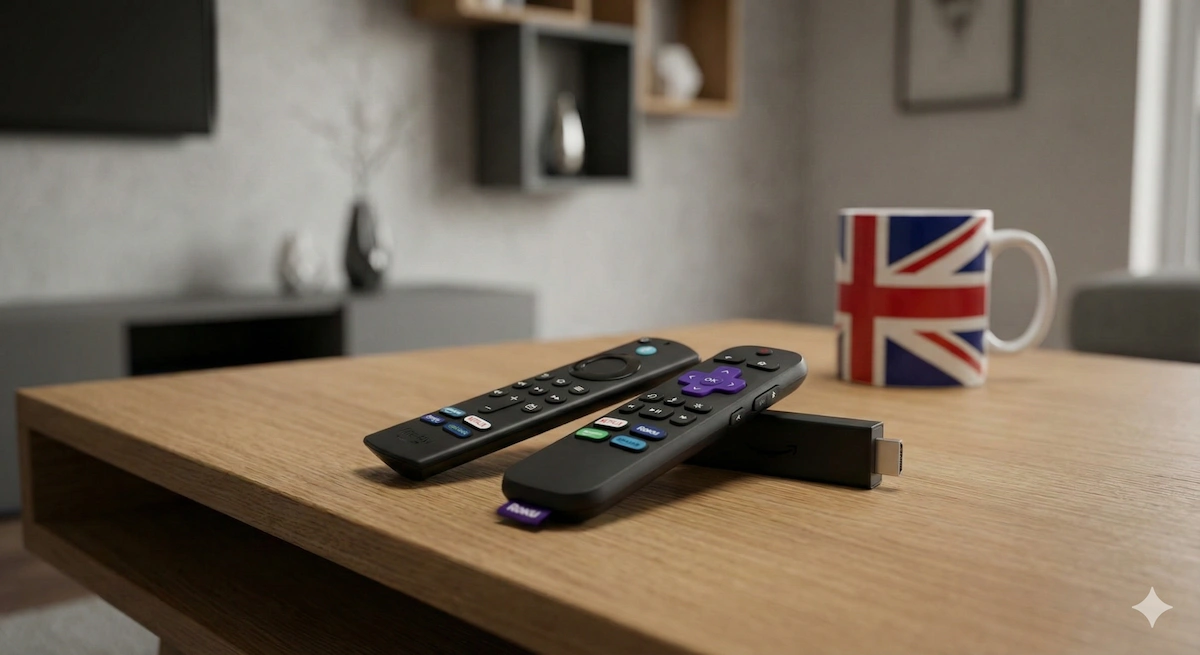
The Roku Remote: It is chunky, robust, and has dedicated buttons for Netflix, Spotify, and Apple TV+.
- The Secret Weapon: Private Listening. While the remote doesn't have a headphone jack (unless you buy the expensive "Pro" version), you can download the free Roku App on your phone. Connect your headphones to your phone, and the TV sound instantly switches to your ears. Perfect for watching movies late at night without waking the house.
The Fire TV Remote: It is slimmer and feels a bit more premium.
- The Secret Weapon: Alexa. Holding the blue button and saying "Find action movies on Netflix" or "Fast forward 5 minutes" works incredibly well. It saves endless clicking.
Winner for Controls: 🏆 Fire TV (if you like Voice Control), Roku (if you have sleeping kids/partners).
4. Performance & Speed
I tested both sticks on a standard Virgin Media WiFi connection, through a thick brick wall (the enemy of WiFi!).
- Roku Streaming Stick 4K: It uses a "Long Range Receiver" built into the power cable. In my testing, it held a 4K signal very well, even in the back bedroom.
- Fire TV Stick 4K: This supports Wi-Fi 6. If you have a modern router (like the white Virgin Hub 5 or a BT Smart Hub 2), the Fire Stick is noticeably faster at buffering. You click a show, and it starts almost instantly.
Winner for Speed: 🏆 Fire TV Stick 4K
Final Verdict: Which belongs in your living room?
This decision really comes down to who is going to use the TV.
If you are buying this for a family living room where kids, parents, and grandparents all need to use the TV, buy the Roku Streaming Stick 4K. It is frustration-free. It doesn't hide your apps behind ads, and it just works.
If you are buying this for yourself, and you want the best possible performance, Dolby Atmos sound, and smart home control, buy the Fire TV Stick 4K. It is a more powerful device that feels like a genuine upgrade to a Smart TV.
Current Prices
- Check Roku Price: Roku Streaming Stick 4K
- Check Fire TV Price: Amazon Fire TV Stick 4K
At a Glance: The Pros & Cons
Amazon Fire TV Stick 4K
Best for: Tech enthusiasts, Prime Members, and Speed
| The Good (Pros) ✅ | The Bad (Cons) ❌ |
| Smart Home Hub: Press the button and ask Alexa to "Show me the Ring Doorbell camera" or "Dim the lights." | Ad Heavy: The home screen is basically a billboard for Amazon Prime Video. Can be annoying if you don't have Prime. |
| Better Specs: Supports Wi-Fi 6 (smoother streaming if your router is far away) and Dolby Vision/Atmos for cinema sound. | Confusing for Beginners: The menu is busy. It’s easy to get lost in "Recommendations" instead of finding your app. |
| Live TV Button: The remote often has a dedicated "Guide" button that pulls together live channels from My5, ITVX, and others. | No Google/Apple Casting: It is very hard to cast video from an Android or iPhone without buying extra apps. |
| Faster Feel: The processor is snappier. Menus load instantly with almost zero lag. |
At a Glance: The Pros & Cons
Roku Streaming Stick 4K
Best for: Simplicity, Seniors, and "Just watching TV"
| The Good (Pros) ✅ | The Bad (Cons) ❌ |
| No "Menu Clutter": The home screen is just a simple grid of your apps. No huge banner ads distracting you. | Looks a bit "Retro": The purple menu design hasn't changed in years and looks basic compared to Amazon. |
| Neutral: It doesn't care if you watch Netflix, Disney+, or iPlayer. It treats all apps equally (unlike Amazon which pushes Prime). | No Dolby Atmos Native: It passes Atmos through to your soundbar, but doesn't decode it as well as the Fire Stick. |
| Apple Friendly: Supports AirPlay 2. You can beam photos/video from your iPhone to the TV easily (Fire TV can't do this natively). | Voice Search is Basic: You can ask for a movie name, but you can't ask "What's the weather?" or control your smart lights. |
| "Private Listening": Use the free Roku app on your phone to listen to the TV through your headphones (great for late-night viewing). |