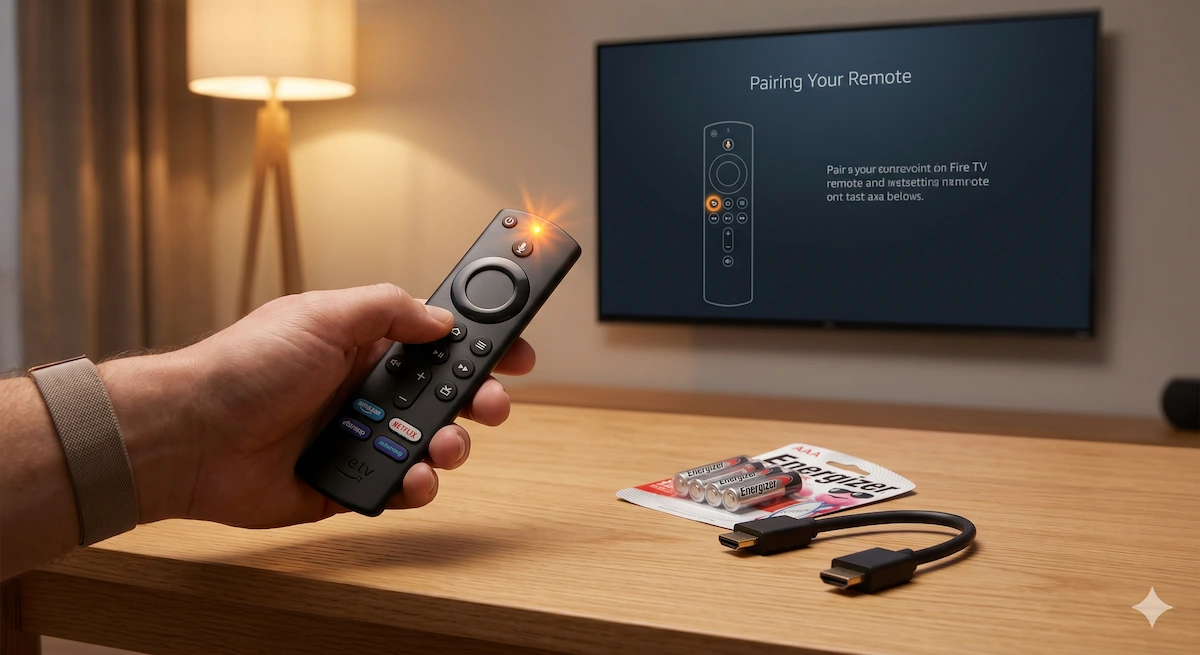
What the Flashing Light on Your Fire Stick Remote Means (And How to Fix It)
Last Updated: May 2026
You sit down to watch your favorite show, grab your Amazon Fire TV remote, and press a button—but nothing happens on the screen. Instead, a tiny little LED light at the top of your remote starts aggressively blinking a strange color.
Before you assume the remote is completely broken and throw it in the bin, wait! That little flashing LED is actually Amazon’s built-in troubleshooting system. The remote is trying to tell you exactly what is wrong.
Whether your remote is flashing orange, green, red, or blue, here is the official decoder ring for what those colors mean and the exact steps to get your remote working again in under 60 seconds.
🟡 Flashing Orange (or Yellow) Light
What it means: The remote is in “Discovery Mode” and is not paired with your TV.
This is the most common color people see. A blinking orange or yellow light simply means your remote has somehow forgotten its connection to the Fire Stick and is desperately searching for it.
How to fix it:
- Unplug your Fire Stick from the power supply, wait 60 seconds, and plug it back in.
- Wait for the Fire TV home screen to load completely.
- Point the remote at the TV and press and hold the Home button for exactly 10 seconds.
- The orange light should begin to flash faster, and then a message will pop up on your screen confirming the remote is paired.
🟢 Flashing Green Light
What it means: The remote is trying to pair, but something is blocking the signal.
If you followed the pairing steps above but the light turns green instead of pairing, it means the remote is functioning properly, but the Bluetooth signal isn’t reaching the Fire Stick.
How to fix it:
- Move Closer: Ensure you are standing within 10 feet of the TV.
- Remove Obstructions: If your Fire Stick is crammed tightly behind a wall-mounted TV, the metal chassis of the TV can block the Bluetooth signal. Use the short HDMI extender cable that came in the Fire Stick box to peek the stick out from behind the TV.
- Check Interference: Move devices like baby monitors or microwaves away, as they run on similar wireless frequencies.
🔴 Flashing Red Light
What it means: Battery issues or a frozen remote.
There are two different types of red flashing lights:
- Slow Blinking Red: Your batteries are critically low. Swap them out for a fresh pair of high-quality AAAs immediately.
- Fast Blinking Red: The remote’s internal software has frozen or crashed. You need to perform a “Hard Reset.”
How to fix a fast blinking red light (Hard Reset):
- Unplug the Fire Stick from the wall.
- On the remote, press and hold the Left directional button, the Menu button (three horizontal lines), and the Back button all at the same time for 12 seconds.
- Release the buttons and wait 5 seconds.
- Remove the batteries from the remote.
- Plug the Fire Stick back in and wait for the home screen.
- Reinsert the batteries and hold the Home button for 10 seconds to re-pair it.
🔵 Flashing Blue Light
What it means: Alexa is listening, or the remote is in “Diagnostic Mode”.
- Solid or Pulsing Blue: The microphone button is stuck down, and Alexa is actively listening to you. Try tapping the microphone button a few times to unstick it.
- Flashing Blue in Diagnostic Mode: If you accidentally put your remote into diagnostic mode and it flashes blue, it means the remote has zero hardware issues. If it still isn’t working, the problem is actually your Fire Stick device itself. Try restarting the main device!
🛑 What if the light doesn’t turn on at all?
If you have put in brand-new batteries and there is no LED light whatsoever, or if you have tried the Hard Reset and the remote refuses to pair, the internal Bluetooth chip has likely failed. (This happens often if the remote has been dropped on a hard floor or if a liquid was spilled on it).
You don’t need to buy a whole new Fire TV Stick. You can simply buy an official replacement remote, which will automatically pair with your existing setup right out of the box.
👉 Check the current price of the Official Alexa Voice Replacement Remote on Amazon here
Over to you: Did the 10-second “Home Button” trick solve your flashing orange light, or did you have to go all the way and perform a hard reset to get your remote working again? Let me know which fix worked for you in the comments section below!